
Fast file-sharing service
Send Anywhere is a free cloud-based service that enables users to send and receive files instantly within a few seconds from any device to anyone in the world. This file-sharing and peer-to-peer solution offer a highly streamlined interface wherein registration can only take a matter of minutes. Once your account has been confirmed, the transfers can immediately begin.
Top Recommended Alternative

There will be no charge required for you to utilize this entire bundle unless you decide to subscribe to Sendy PRO—a premium version equipped with more extensive features. Send Anywhere will also be an impressive alternative to SHAREit and MediaFire.
Secured P2P utility
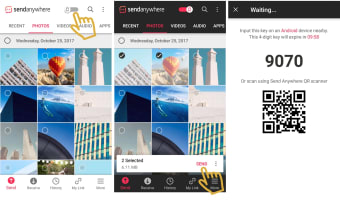
Send Anywhere allows users to share and store their files within a cloud-based environment. There are two advantages associated with this approach. First, excess memory can be freed up within a hard disk. Second, cloud storage offers an extra level of redundancy. Real-time transfers will employ the use of a one-time security key. Once a file is uploaded, the user will enter this key as well as the address of the recipient.
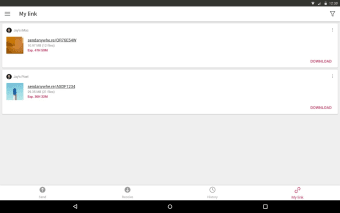
Furthermore, it enables you to create download links that can be shared with other authorized stakeholders. It doesn't implement download count limitation but, expiration times are enforced. If you don't prefer any of these sharing options, you can opt to do device-to-device transfer instead. Without a 6-digit key or a link needed, you'll be able to share content to a specific device you want. Bear in mind though that you can only attach large files through Chrome Extension, Outlook add-ins, and Send Anywhere's website.
How do I use Send Anywhere?
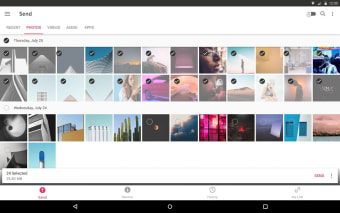
Once you have installed its desktop version, you can immediately launch its application. You will be greeted by a simple and intuitive interface that you can easily explore. If you wish to send files to other platforms, just click the ‘Send’ button. You will then be propelled to either drag and drop the data to be sent or click in the box to locate the file.
Afterward, you will press the ‘Send’ button this time on the prompted catalog box. The receiver, on the other hand, doesn't need to install the app or register an account, just to get the file. They can just straightly go to its website, paste the download link or enter the six-digit key and then, click the ‘Receive’ button to start the download process. Almost the same procedure is applied when you are accepting files using desktop software.
Reliable file transfer solution
Send Anywhere is a quick and convenient option to share various files with any person in the world regardless of the platform they are using. On top of that, it gives you plenty of transfer options that you can utilize depending on your circumstances. The user interface that it contains is straightforward to use that even non-tech savvy users will effortlessly find their way to send and receive.